information
this project is designed to get around school monitoring software like securly classroom by opening any URL in a blank page.
NOTE: logging in on most sites won’t work and a lot of sites won’t even respond
NOTE TOO: only tested with securly classroom, if anybody who has another type of class monitoring software and is interested in testing, please send us an email
technical description
the monitoring software on our school chromebooks is “securly classroom” bypasses have come and gone over time, one of them being the crash+hang method. but this method is unpatchable because it uses the browser’s default blank page which results in a “waiting for device” on the teacher software.
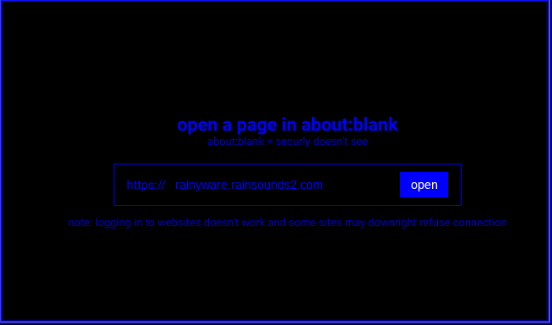
the code is very simple, most of the downloadable .html file is actually just styling for the page (blue text, black bg), but you enter a url and it opens in an about:blank page which causes all the known issues that are shown to the right.
FAQ
will this let me access blocked sites?
depends, if your teacher blocks it using the securly classroom extension, then yes but if it’s blocked on the school wifi itself or is in the global global block list, then it can’t get around that.
will my school be able to see my history?
yes and no, your browser history will either show nothing at all, or “about:blank” which is good but data being sent to the network CAN be tracked, and from there, history can be tracked.
picture
known issues
logging in doesn’t work on most sites
the server that hosts all our downloads says it’s because of cookies, but the remote dashboard for our minecraft server works fine so it’s really mixed
a lot of sites just downright refuse connection
some security thing to prevent bots idk but it works on that gba emulator
downloads
.html for browser
web version